

The Obsolix Platform: Detection, Blocking and Visibility at the DNS Layer
Obsolix completes the entire chain, from the moment a DNS query arrives to the moment it is reported, inside your organization. The modules below are managed from a single interface.
Modules
Ten modules from detection to reporting, one interface.
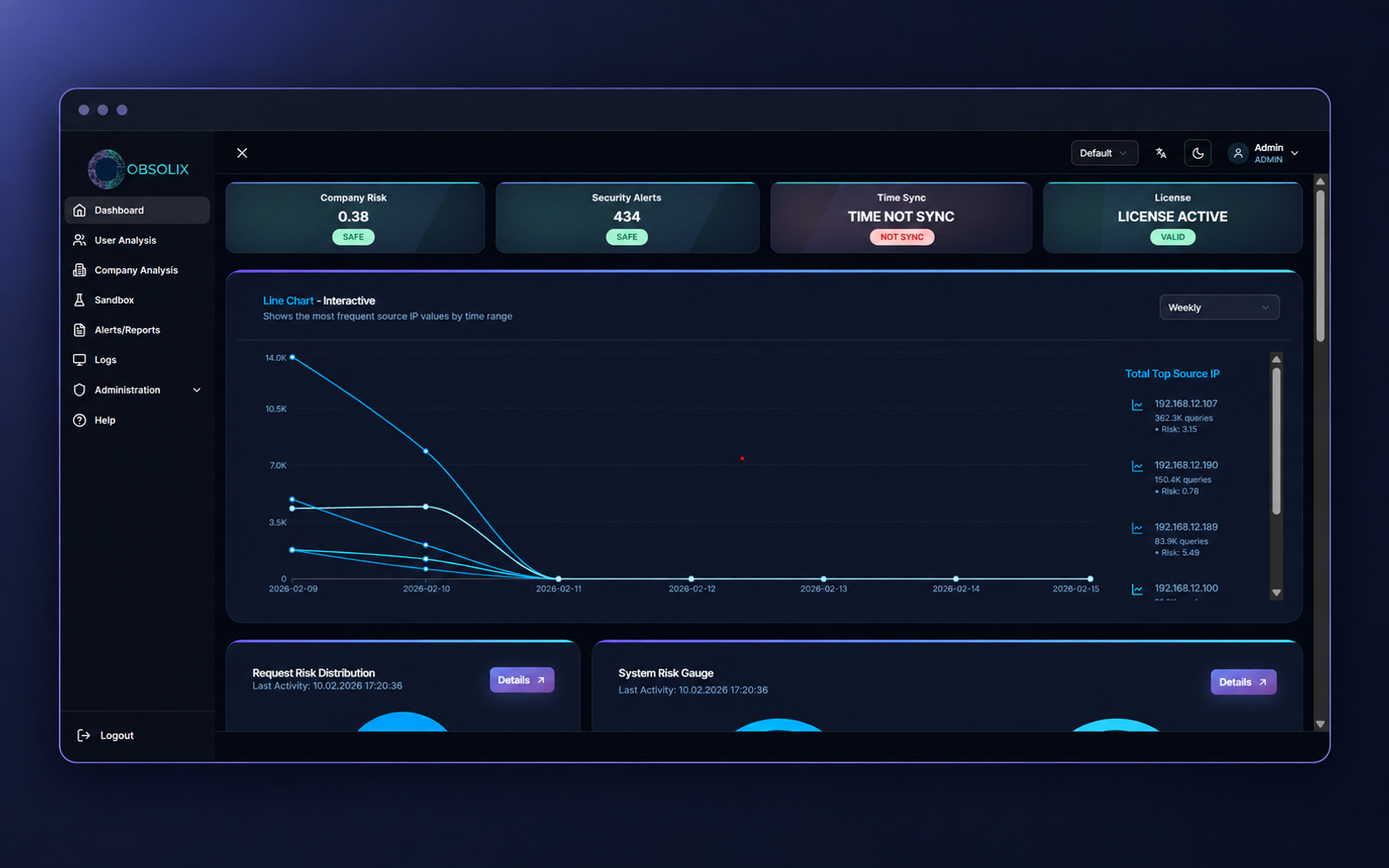
Dashboard
Live threat status, edge health and a daily summary for every site on one screen. The riskiest sources and latest events are visible at a glance.
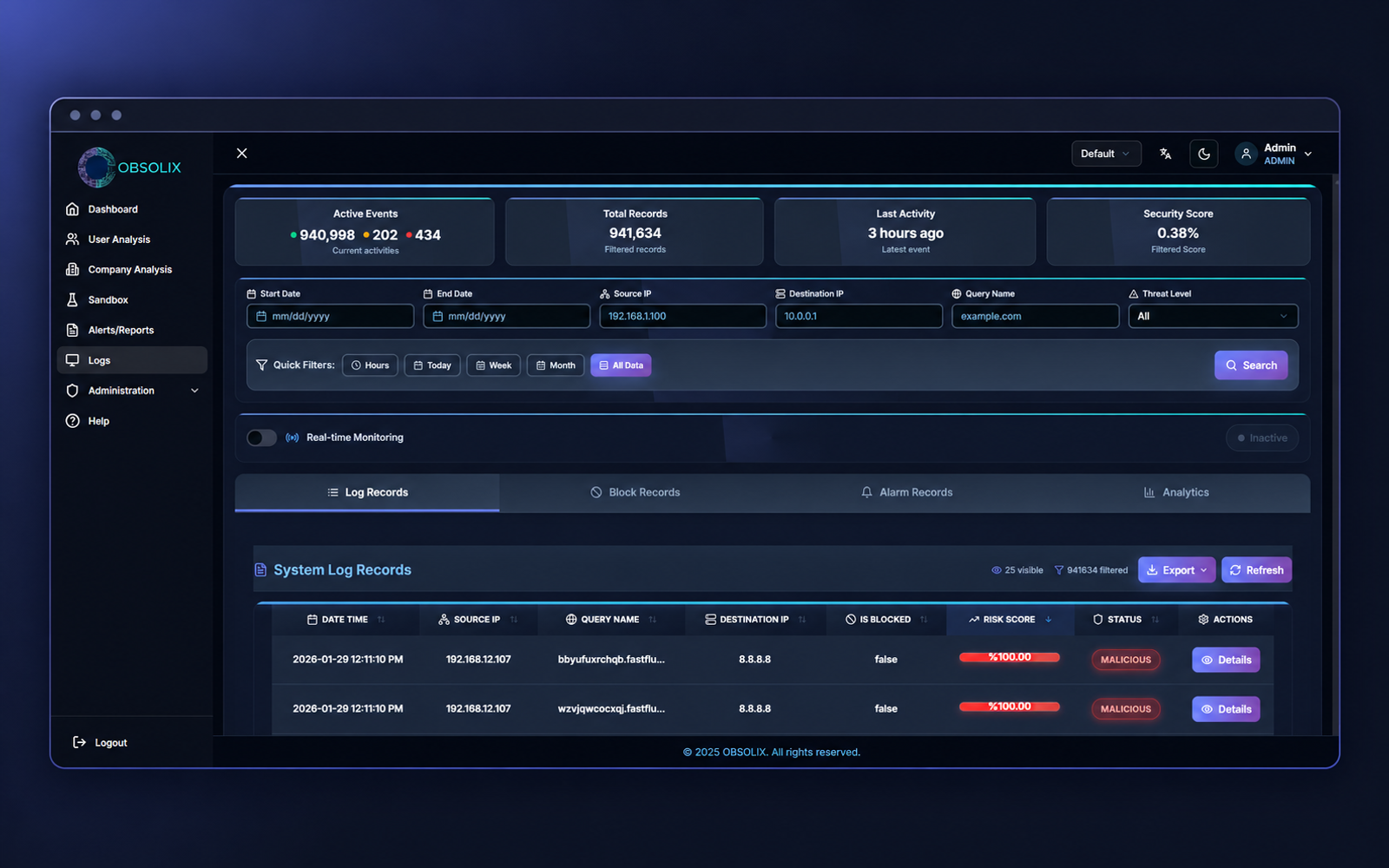
Logs
Every DNS query is searchable by source, user, verdict and reason. Filtered results can be exported to Excel.
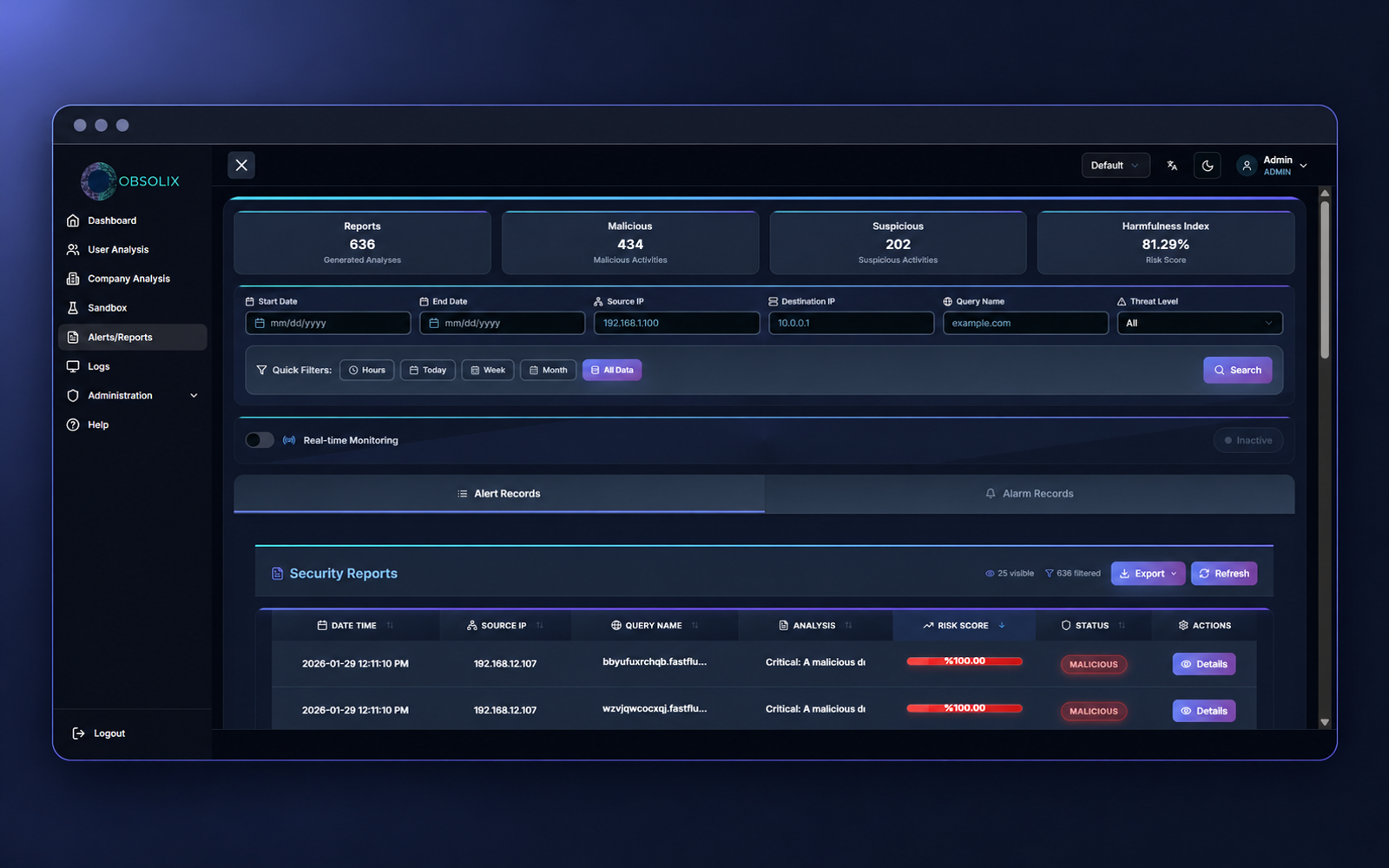
Alerts
Quarantine, blacklist and block events are tracked in separate tabs. Every event is forwarded to your SIEM targets instantly.
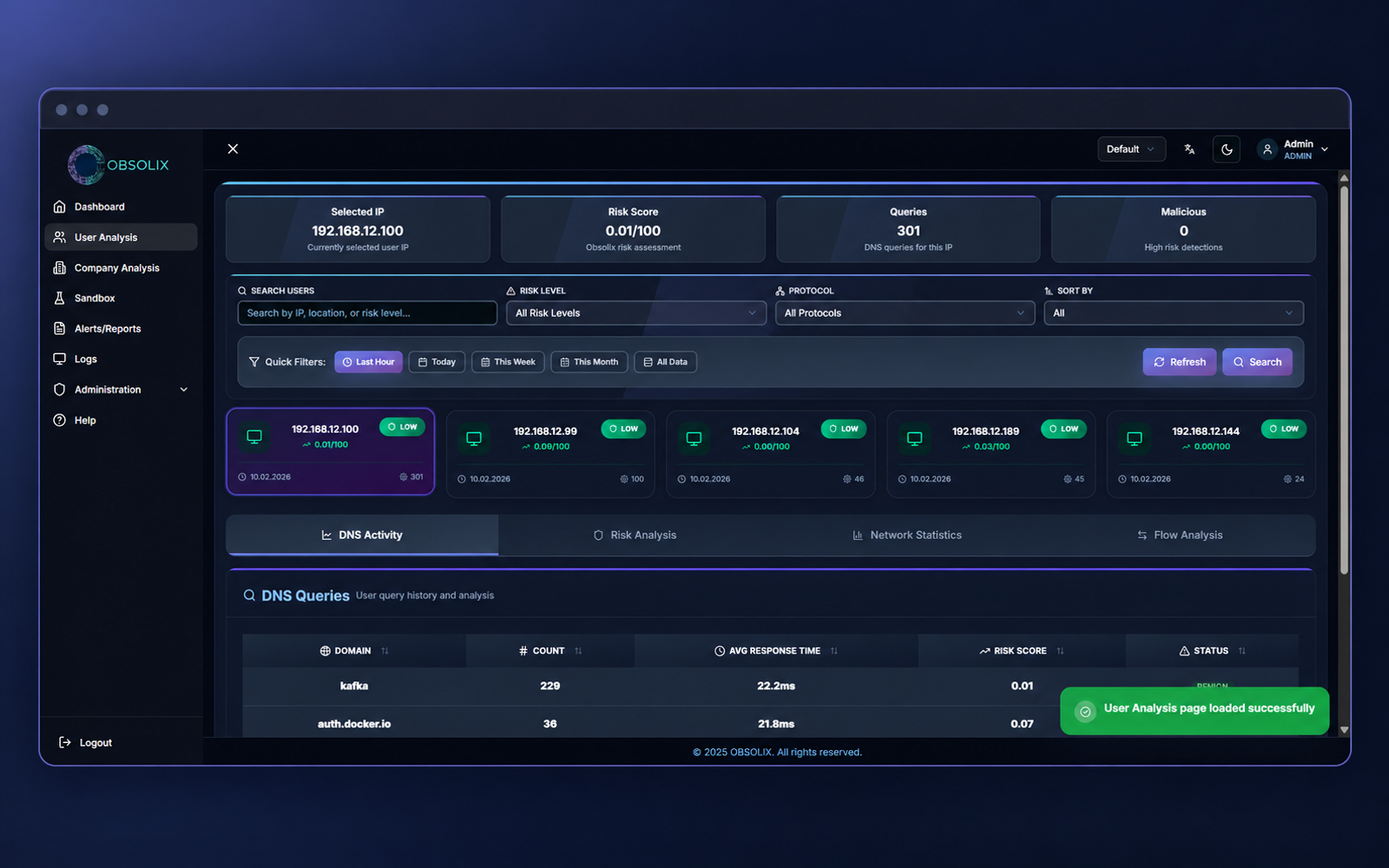
User Analysis
Per-user risk score, query profile and timeline. User names are shown via Active Directory mapping.
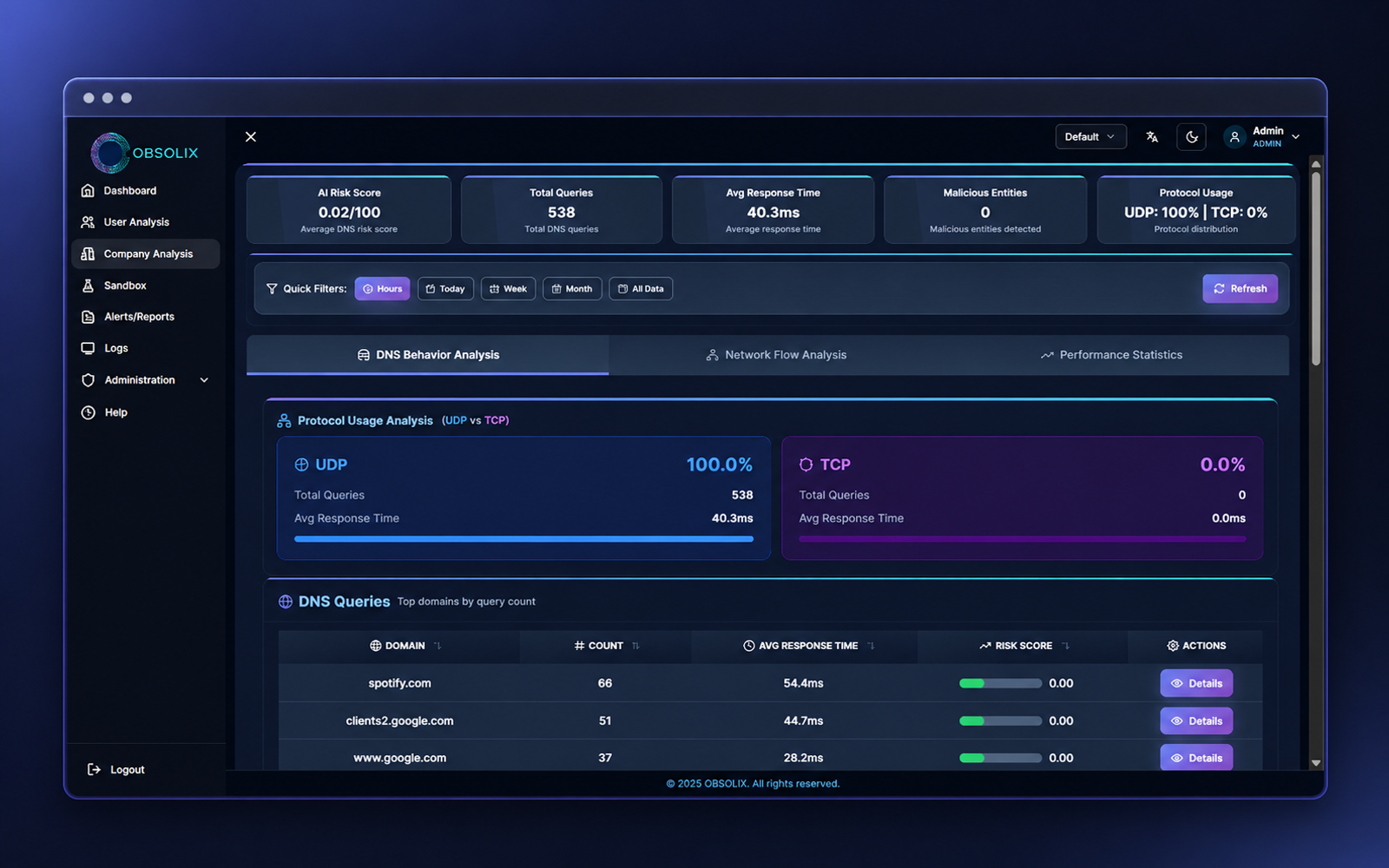
Company Analysis
Organization-wide risk distribution, riskiest sources and domains. Trends are tracked with period-over-period comparison.
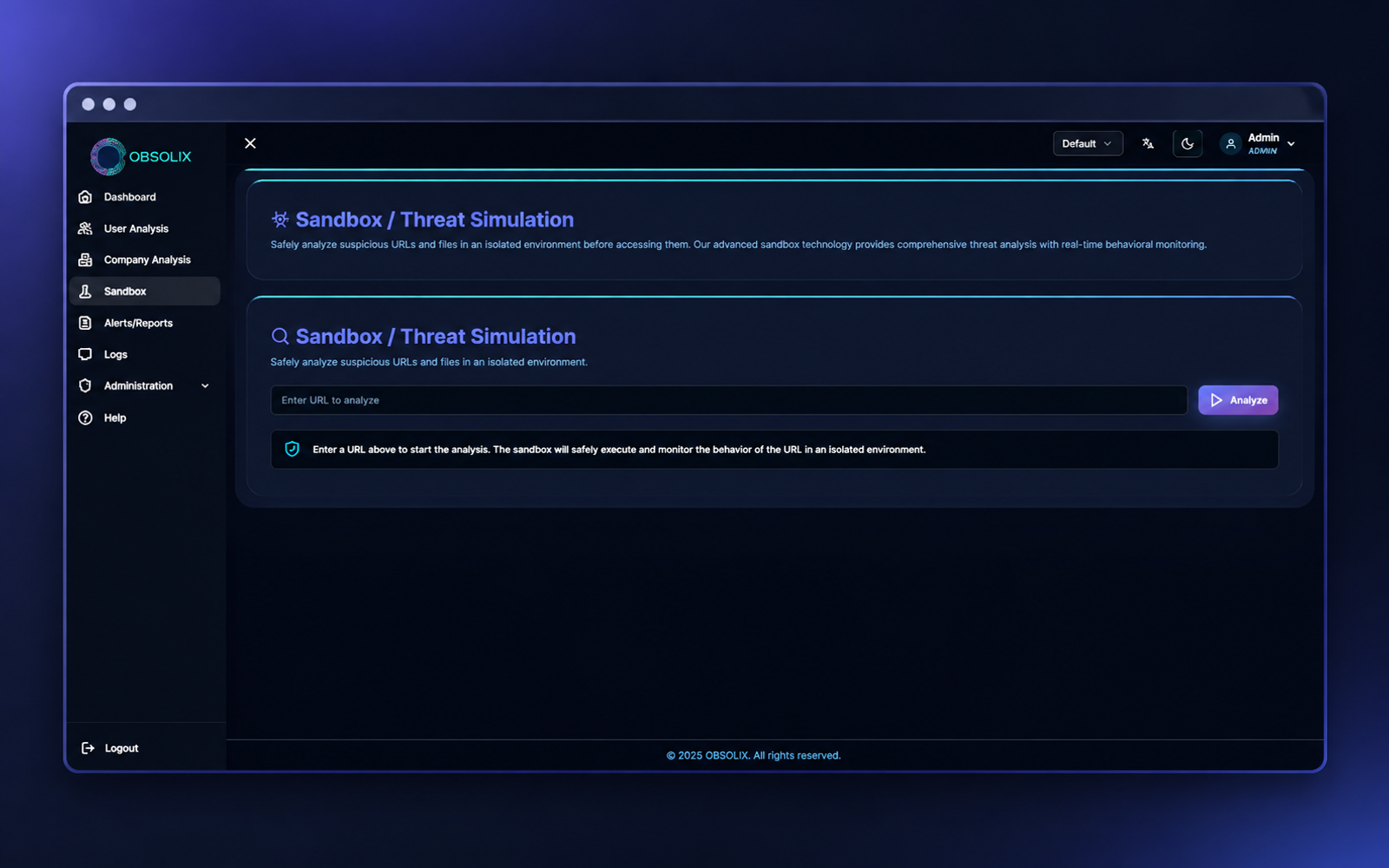
Sandbox
Examines a suspicious domain across DNS, HTTP, threat intelligence and AI layers. Produces the result as a PDF report.
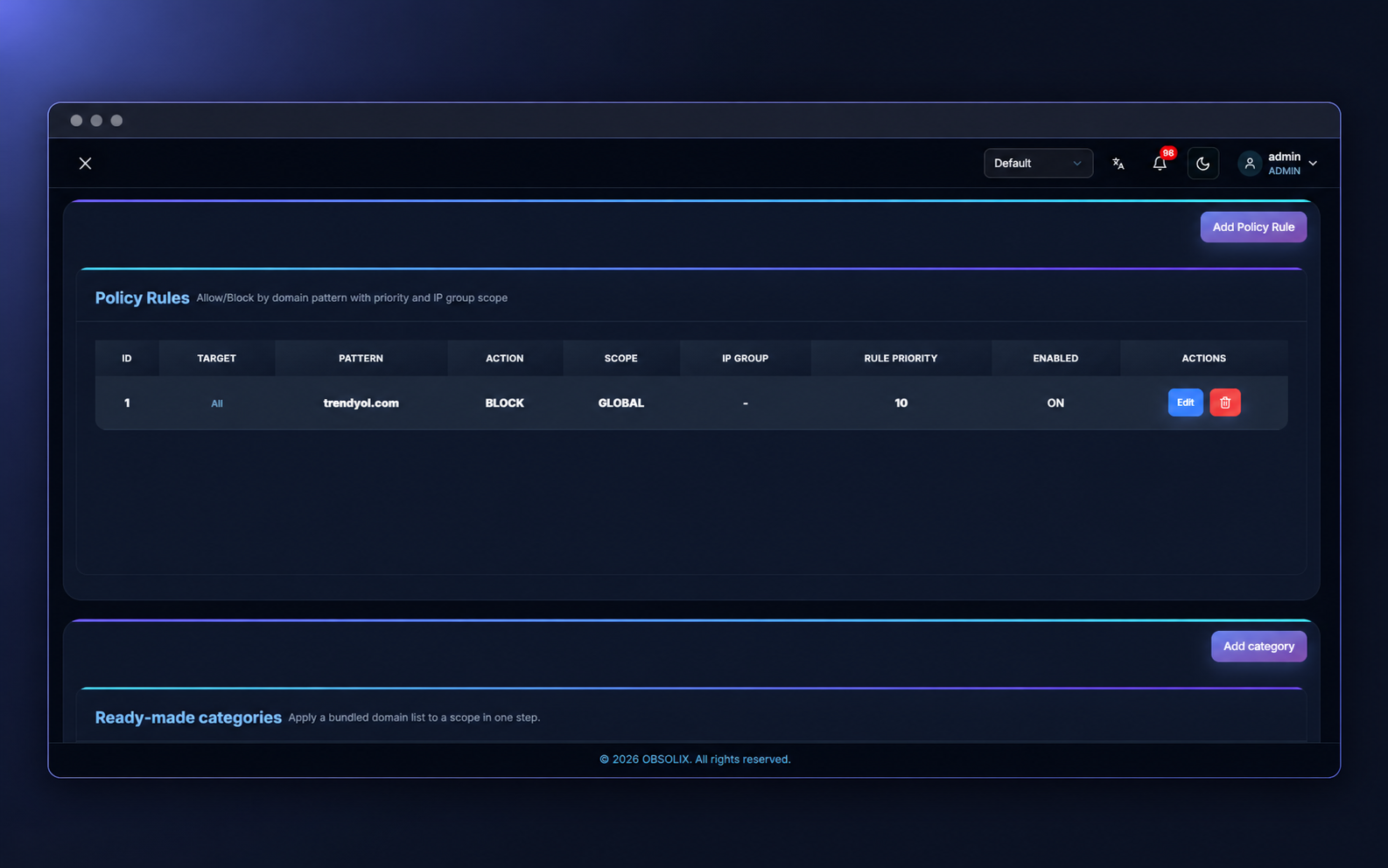
Policy Rules
Block, allow and quarantine rules are defined per domain, IP group and user. Rules are distributed to every edge instantly in signed packages.
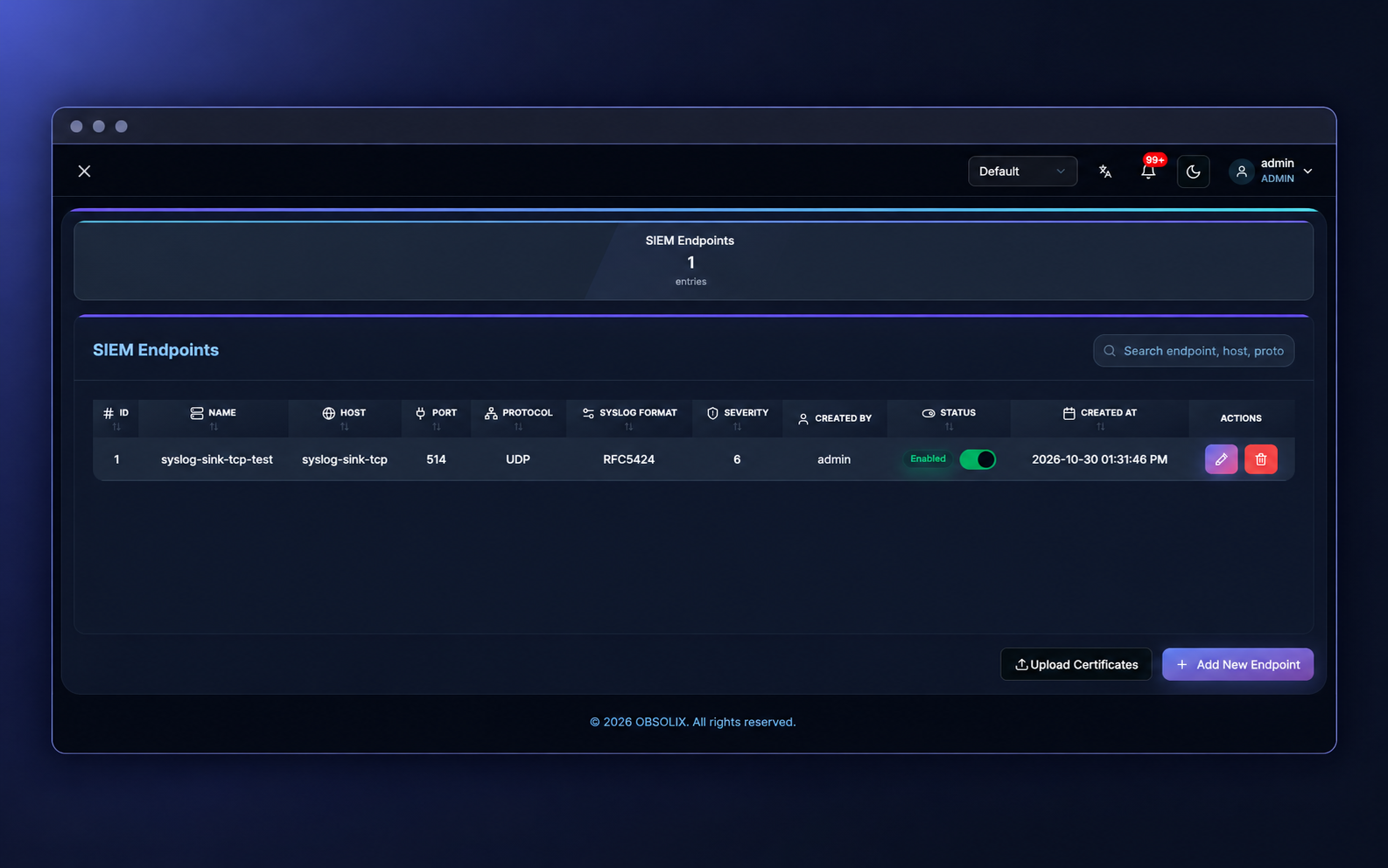
SIEM
Multiple SIEM destinations are defined in CEF, LEEF or Syslog format over UDP, TCP or TLS. Which event types are forwarded is chosen per destination.
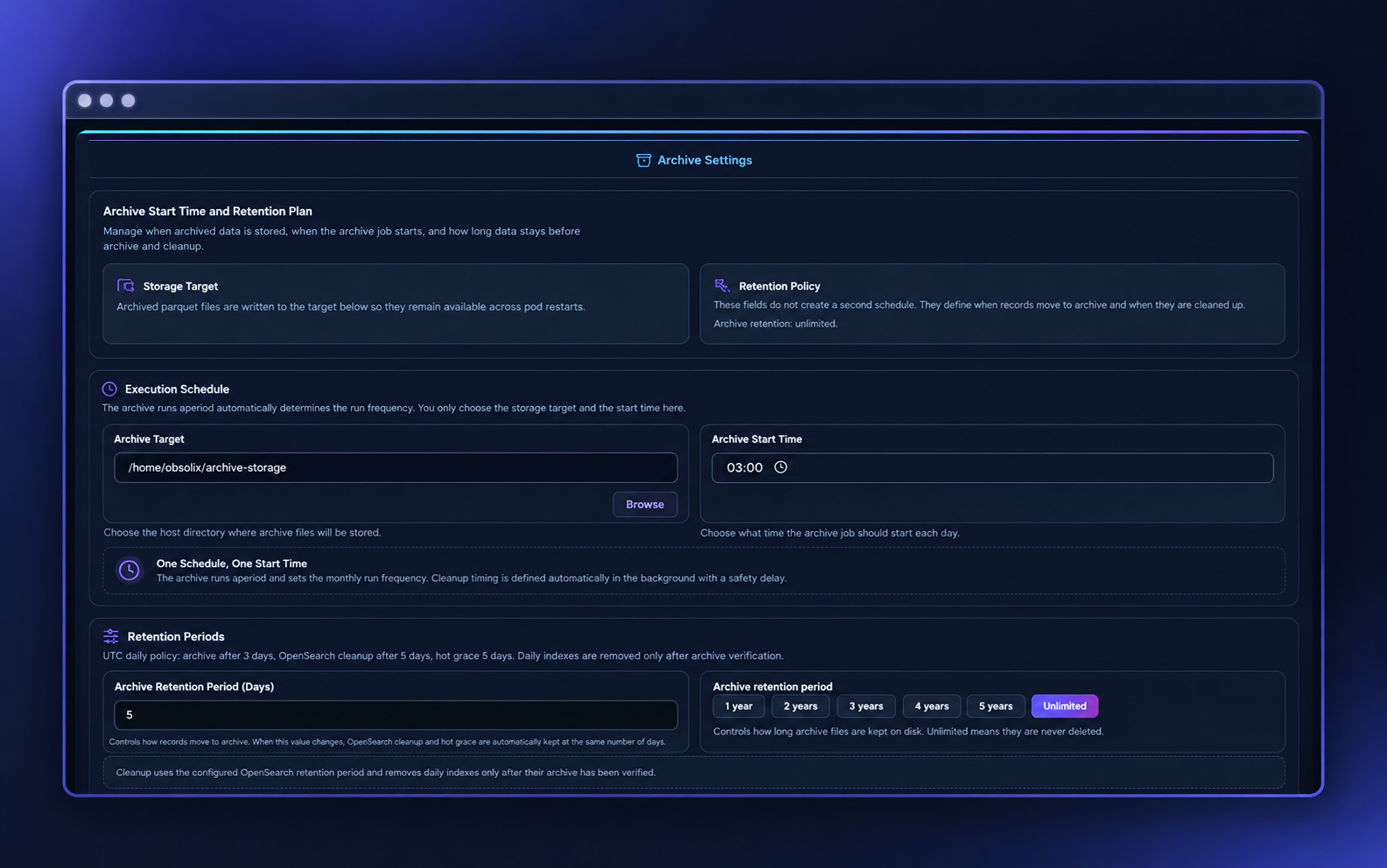
Archive Settings
The organization decides how long logs stay live and when they move to the archive. The archive is kept in-house, and past records remain searchable from the same screens.
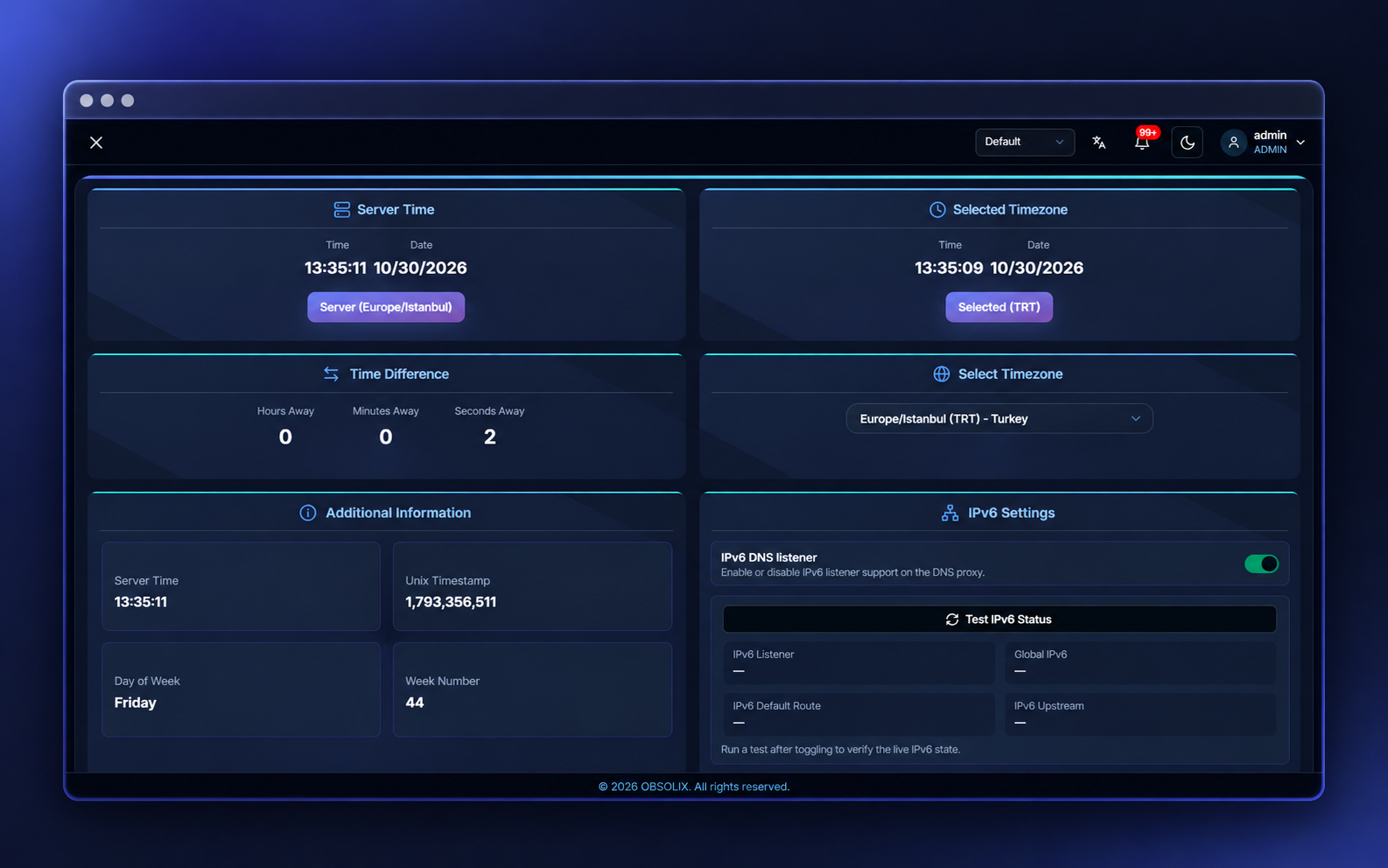
System Settings
DNS forwarding, edge management, update packages and general system settings are managed from one place. Changes are recorded and applied centrally to every site.
Technical Overview
Key technical points, from deployment to updates.
| Topic | Obsolix |
|---|---|
| Deployment | On your own servers, on Kubernetes; keeps running without an internet connection |
| Architecture | Edge + Central, one-way encrypted connection |
| Scale | Ready-made sizing profiles from a small office to tens of thousands of users |
| Interface | Turkish, English, Arabic |
| SIEM | CEF, LEEF, Syslog (UDP / TCP / TLS), multiple targets |
| Identity | Active Directory, agentless |
| Reporting | Excel, PDF, scheduled email |
| Archive | In-house, retention period set by your organization |
| Updates | Signed packages; can also be installed in offline environments |
See the modules in your own environment
Try every module, from Dashboard to Sandbox, with your own DNS traffic in a demo deployment.